No passkey yet? Add one in Settings → Account after you log in — then this button will work.
or
By creating an account you agree to our Terms, Privacy Policy & Community Guidelines — including an automated bot check and our use of trusted service providers to run the app.
No link? Simple mode is a week you type into. Add a calendar later and keep everything.
First, what should we call you?
Only used to greet you. You can change it in Settings → Account.
Where's home? We'll use it for your weather.
How are you using Daily Overview on this device?
You can switch anytime in Settings. Remembered for this device.
Before tests, days off and your first class. Change any of it in Settings.
Free for students
Every assignment, one screen.
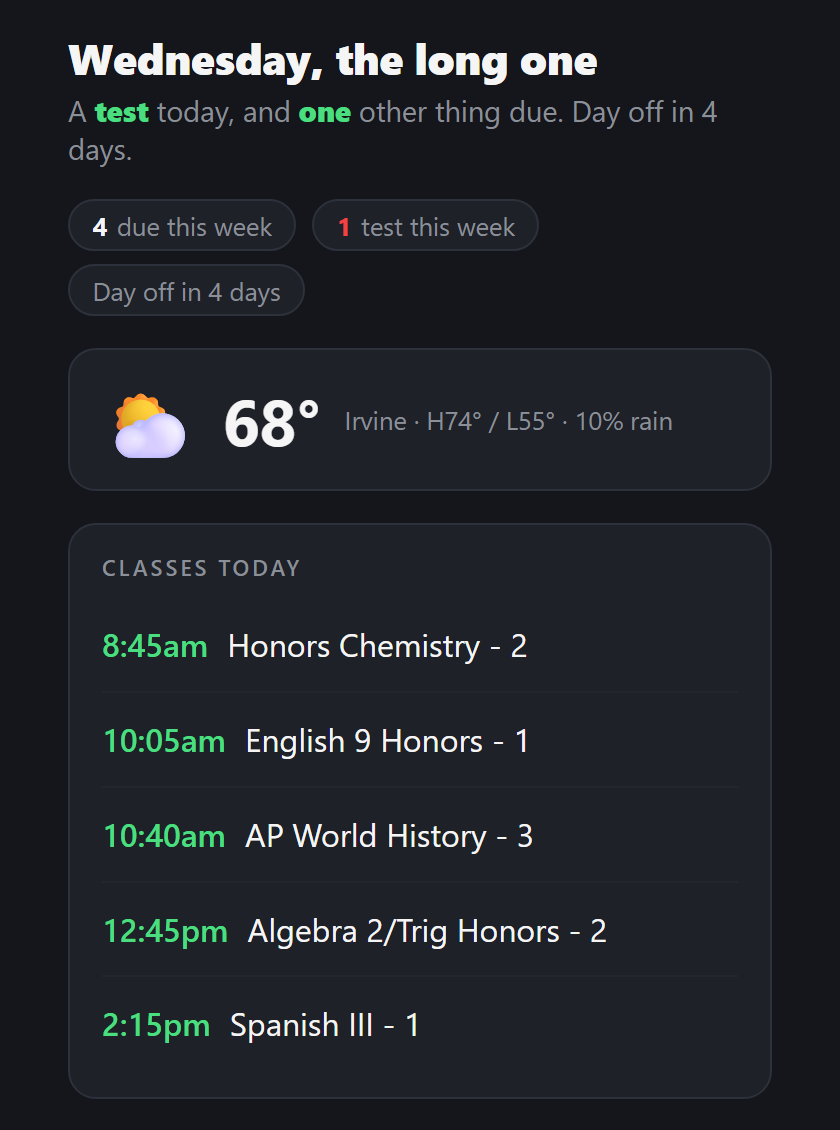
Paste your school calendar link once. Every assignment and test, sorted by class, with a warning before the heavy days.
Free, forever. No card, no trial.
dailyoverview.net
Works with what your school already uses
CanvasPowerSchoolBlackbaudSchoologyGoogleApple / iCal+ any .ics link
Not just a calendar
It does the work, not just the showing
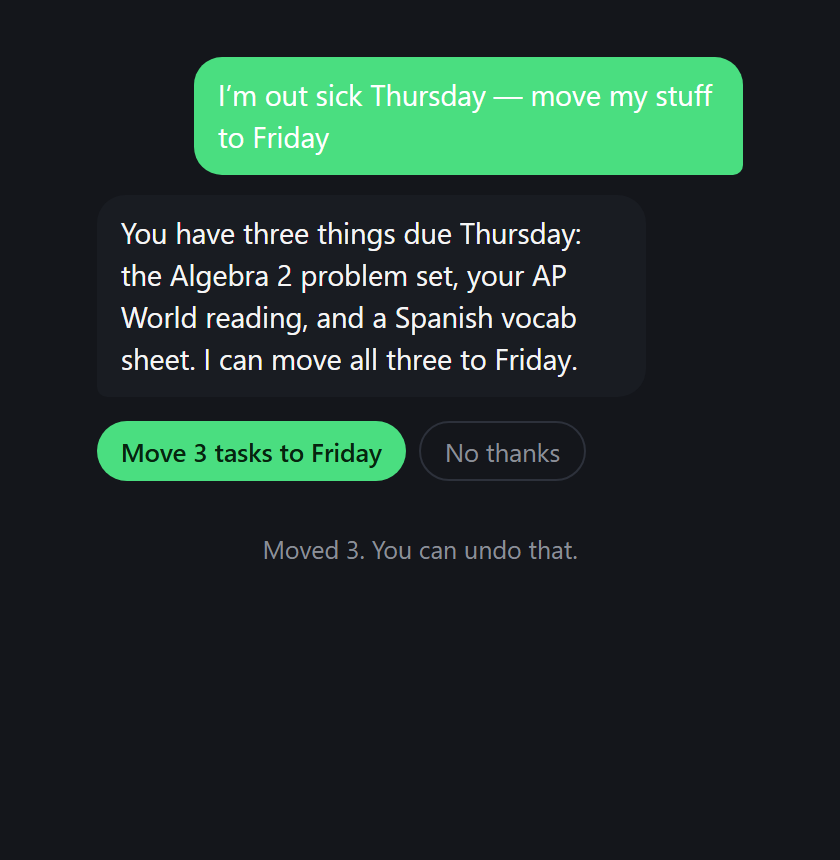
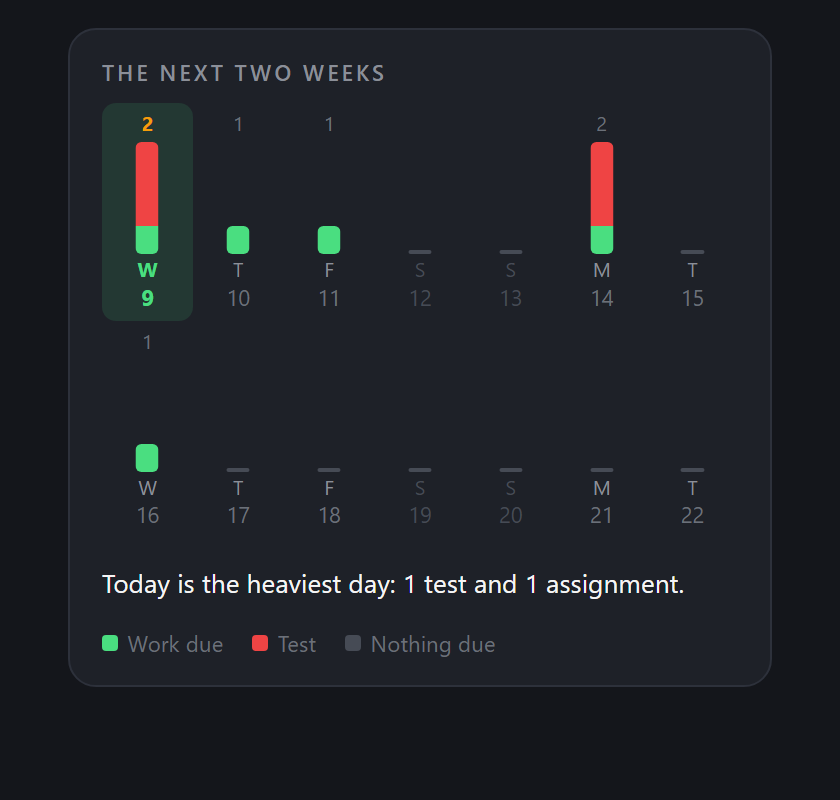
Ask it in plain words. It proposes, you press the button, and anything it does can be undone.See the heavy week coming. So a bad Thursday is something you knew about on Monday.
Daily Overview · now
Upcoming test
Honors Chemistry Unit 3 — tomorrow.
Daily Overview · 7:00am
Due tomorrow
Odyssey reading response
DoneTomorrow
Quiet 22:00 → 07:00
Reminders that name the thing. Tick it off without opening the app. Quiet hours keep them out of class.
Sorted for you. Grouped by class, soonest first, tests flagged early, a colour each.
Add your own. Type it in, or photograph the board. It files under the right class.
Plan tonight. Your homework, timed out until bedtime.
The week in review. Each Sunday: what got done, what is still open, and what is next.
Grades, with a goal. Set one for each class and see where you are. Canvas grades come in too.
Class pages. Tap a class to see when it meets and everything due for it.
Big stuff only. One switch hides everything but tests, essays and projects.
Works when your school doesn’t. Portal down? Your last update stays put, and says how old it is.
Read it your way. Bigger text, more contrast, an easier font, less motion. It can read to you, and you can ask out loud.
No calendar? No problem
Simple mode
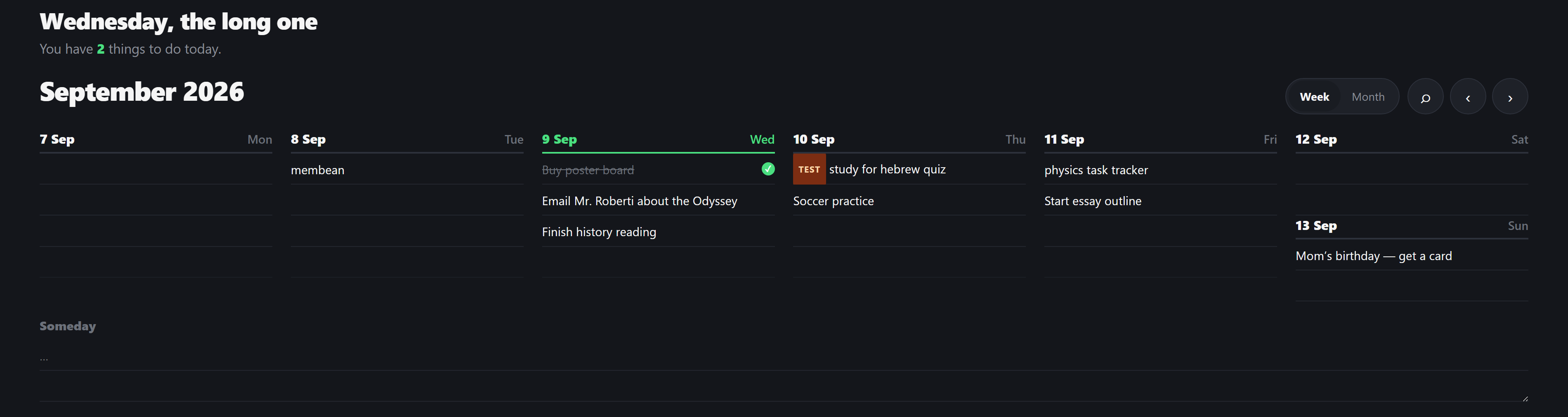
A week you type into. Nothing to find, nothing to log into. Add a calendar later and everything you wrote stays where it is.
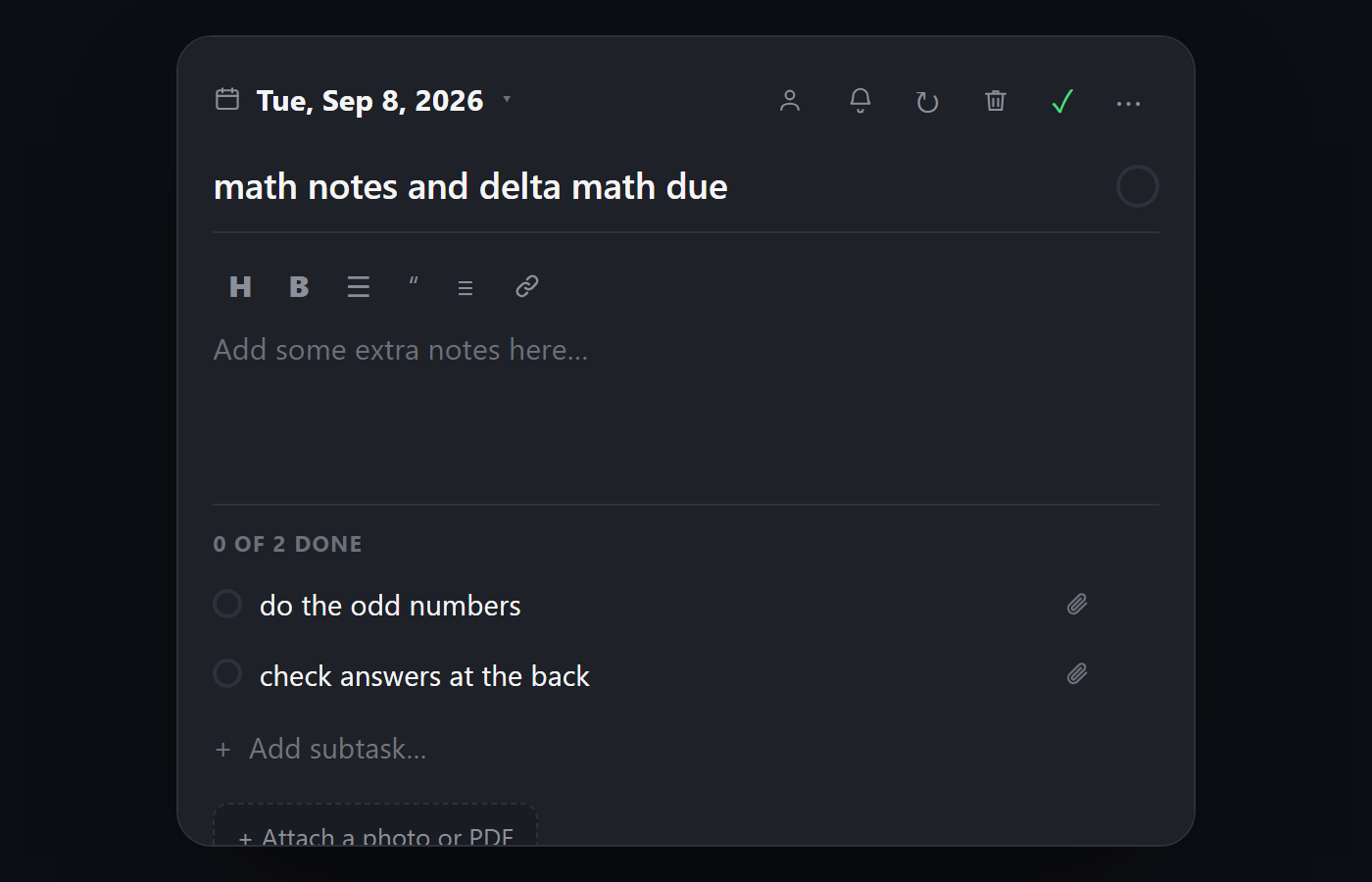
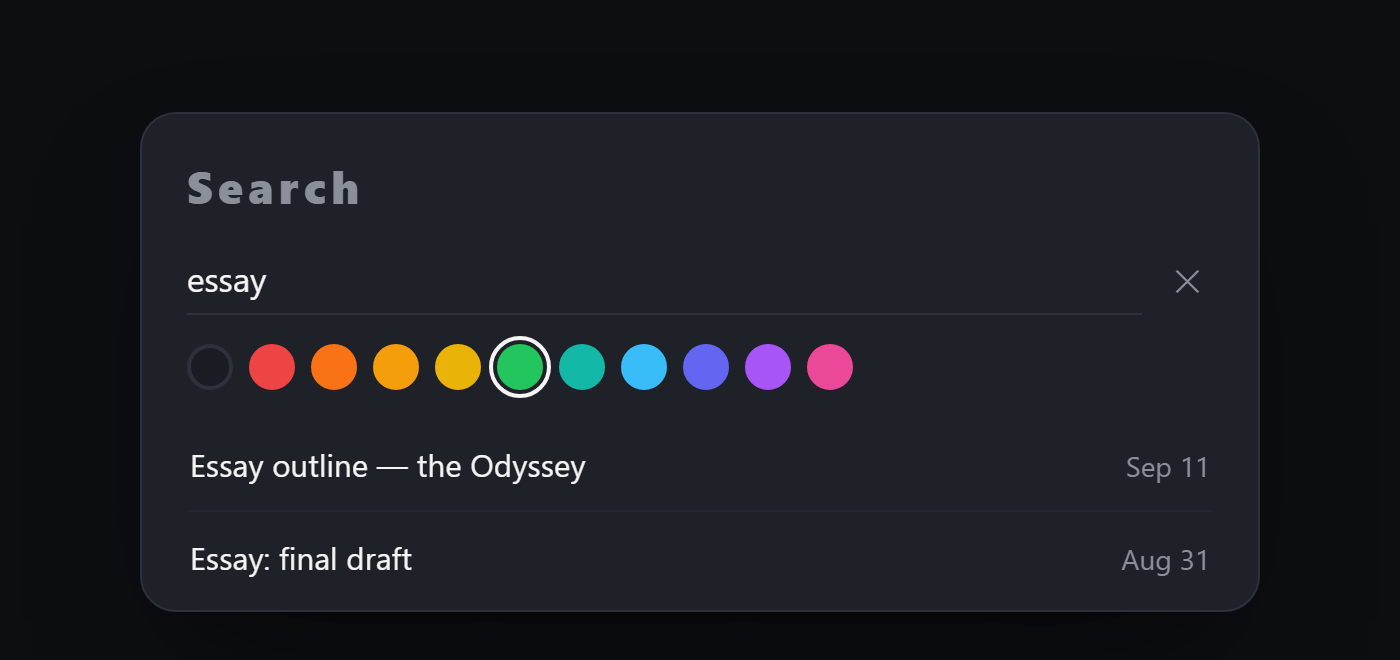
Open anything. Notes, subtasks, a colour, a reminder, a repeat — and a real calendar to pick the day from.Find anything. Every task you have ever written, by word or by colour, however far back.
Type on any day. Click a day, write the thing. That’s the whole interaction.
It knows what things are. Write “chem lab” or “audition” and the line labels and colours itself.
Steps and notes. Break one thing down, tick the parts off, write as much as you like underneath.
Repeat and remind. Any pattern you need, and a nudge by phone or email at a time you pick.
Move it in a tap. Tomorrow, next week, or Someday — for things with no day yet.
Share a task. A read-only link, or straight to somebody’s email.
Invite a friend. Send your link to someone in your classes, with your first name on it if you like.
Setup takes a minute
Good to know
Grab your link. Setup asks which portal your school uses and shows you where to look.
Paste it once. Or skip it and use simple mode.
Glance and go. Every morning, your day is already waiting.
Stuck? The assistant is one tap away inside the app, and it will help you find the link.
Is it free?
Yes — no card, no trial.
Will it work with my school?
If you can subscribe to your school calendar in Apple or Google Calendar (an iCal / “.ics” link), Daily Overview can read it.
Do I need an app?
No — it runs in any browser, and you can add it to your home screen.
What if a teacher never posts the homework?
Type it in — “bio essay friday” is enough, and it works out the day and the class. Or photograph the board.
My dashboard would be a mess — five classes, dozens of tiny items.
Every class gets a colour, and “big stuff only” hides everything but tests, essays and projects.
What happens if my school’s portal goes down?
Nothing breaks. Daily Overview keeps your last successful sync and shows it with a note saying how old it is, rather than going blank at the moment you need it.
I do more than classes — sport, theatre, a job.
So does this. A line labels itself as a rehearsal, a practice, a game, a shift, a club meeting or an application, and you can switch off the kinds your year does not have.
Can I use it without a school calendar link?
Yes. Simple mode is a week you type into — seven days, a line under each, nothing to set up. Add a calendar link later and your classes appear alongside what you wrote.
Ready to stop missing things?
Set it up in a minute. Let tomorrow take care of itself.
Adds your calendar, classes, Week and Month back. Everything you wrote stays.
Account
Your name
Signing in
Sign-in alerts, and how long before the app signs itself out.
Your account
This deletes your whole Daily Overview account — the board and everything in full mode: your calendar, classes, notes and reminders. It can’t be undone.
Calendar
Read a calendar
Optional. Paste a calendar link and everything on it lands on your board as ordinary lines — rename them, move them, colour them, tick them off. A small calendar marks the ones that came from it.
The full app and the week board can each read any of them. Tap to put a calendar on a board or take it off.
Your boards
Up to five separate weeks — school on one, everything else on another. One shows at a time.
Share your week
A read-only link. They can open it without an account, and put anything on it onto their own board if they want it.
Photos and files
Open a task to attach a photo or a PDF — six per task, 10 MB each. PNG, JPG and PDF.
A file goes two weeks after its task’s day, unless you have opened it since. The task and its notes stay.
Share a task or a board and its files go with it.
Take your week with you
Copies everything unfinished on your board into full mode’s to-do list. Your board stays exactly as it is, and pressing it again won’t make duplicates.
Display
Theme
Task colours
An uncoloured task takes its colour from what it is — a test red, a rehearsal pink. The label says so either way.
This device
The board is laid out differently on each.
Reading
About
What's new
Everything that has changed in Daily Overview.
A popup when there’s a new version.
How this works
A short walk through the board — adding, ticking off, notes, colours, repeats and search.
The full app and the week board can each read any of them. Tap to put a calendar on a board or take it off.
Carry unfinished items forward
Ticked means unfinished work from that calendar keeps showing after its day has passed. Unticked, it stays on the day it was due.
Your changes to the calendar
School year
Summer break
Home shows a countdown. Days-off reminders stop until school is back.
Time zone: —. Taken from this device, and it updates itself if you move.
Grades from Canvas
Connect once, and each class’s grade shows in Your marks, next to your goal.
In Canvas, open Account, then Settings.
Press “+ New access token”, give it a name, and make it.
Copy the token and paste it here.
Some schools turn this off. If there is no “+ New access token” button, yours has, and typing marks in still works.
The token stays on this device. It is only sent to fetch your grades, and is never kept anywhere else.
Sharing & simple mode
Add your to-dos to your calendar
Your to-dos, not your school schedule. They appear in Apple or Google Calendar.
Works best on a computer; Google Calendar can take up to a day to refresh.
Share your week with a parent
A read-only page of what is due and what you finished. Anyone with the link can see it.
Copy your to-dos across
Everything unfinished in your to-do list, copied onto the simple week board. Your list stays exactly as it is, and pressing it again will not make duplicates.
Default weather location
Where the forecast is for when you are not away.
Loading…
Travel days
Weather follows you there, then back.
The weather card
The card at the top of the Weather page.
Loading your reminders…
By email
Sent to your inbox. Try any of them now.
On this phone
On iPhone / iPad, phone notifications only work once Daily Overview is on your home screen. In Safari:
Tap the ••• (three dots) button.
Tap Share at the top.
Scroll down — or tap the “View More” arrow.
Tap “Add to Home Screen,” then Add.
Open it from your home screen, then turn phone notifications on here.
This browser doesn't support phone notifications.
Turn the switch on to choose these.
Reminders in the window are skipped, not saved. Email still arrives.
Reminder rules
For your own to-dos. A reminder you set yourself is never changed.
Where notifications go
Remove one and it stops getting notifications.
None yet.
Pausing
Stops reminders without losing your choices.
Nothing is paused.
Nothing is sent until that day is past. It turns
itself back on.
Resumes on its own. Dates live in Calendar.
Turns every email type off at once. You can switch any of them back on here afterwards — pausing is the one that comes back by itself.
Help & Feedback
Chat with the assistant. It passes anything it can’t solve to us.